Construction gallery
Find images by project, camera and period, navigate the timeline, zoom, compare and select the views you need.
TEYE turns field imagery into a management tool. Projects, camera fleet, photo gallery, timelapse, alerts, AI, live viewing and 360 Tour are brought together in a web interface designed for remote construction monitoring.
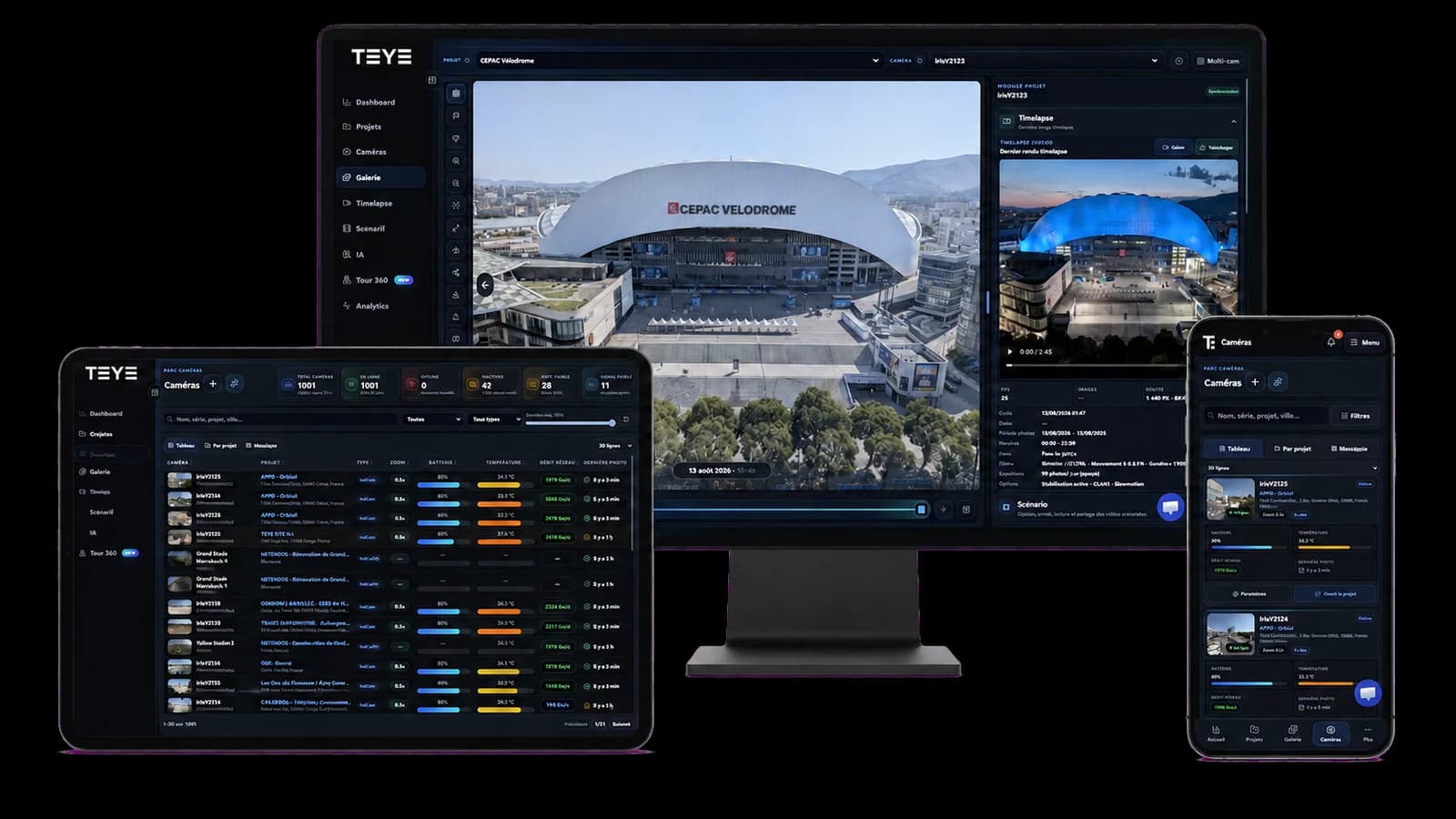
From the jobsite to the decision
The platform connects equipment installed on site with teams’ daily workflows: verify, retrieve, compare, alert, analyze, share and produce deliverables without scattering data across tools.
From login, TEYE consolidates projects, the camera fleet, image volumes and operational signals. The map, weather and notifications provide an immediate view of the situation.
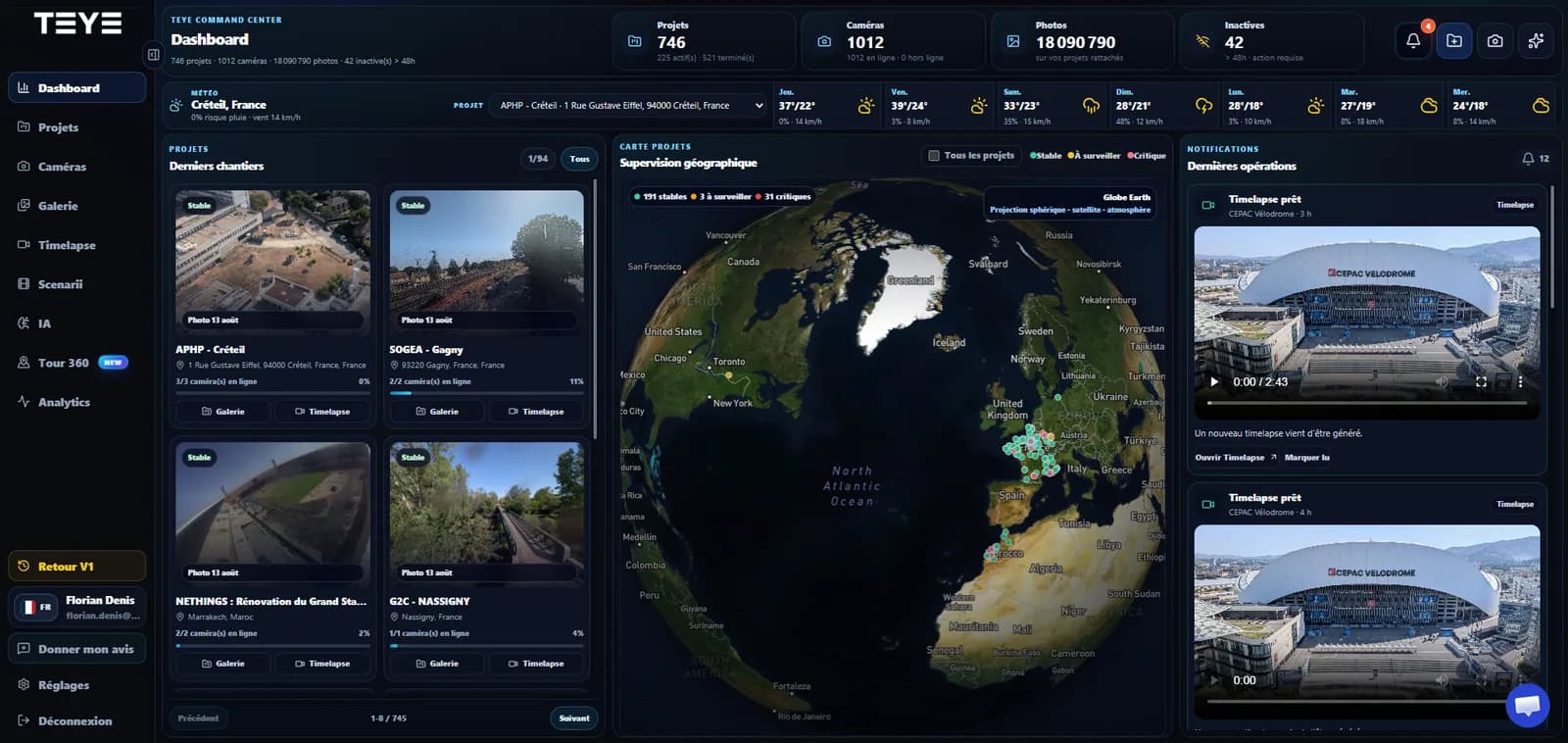
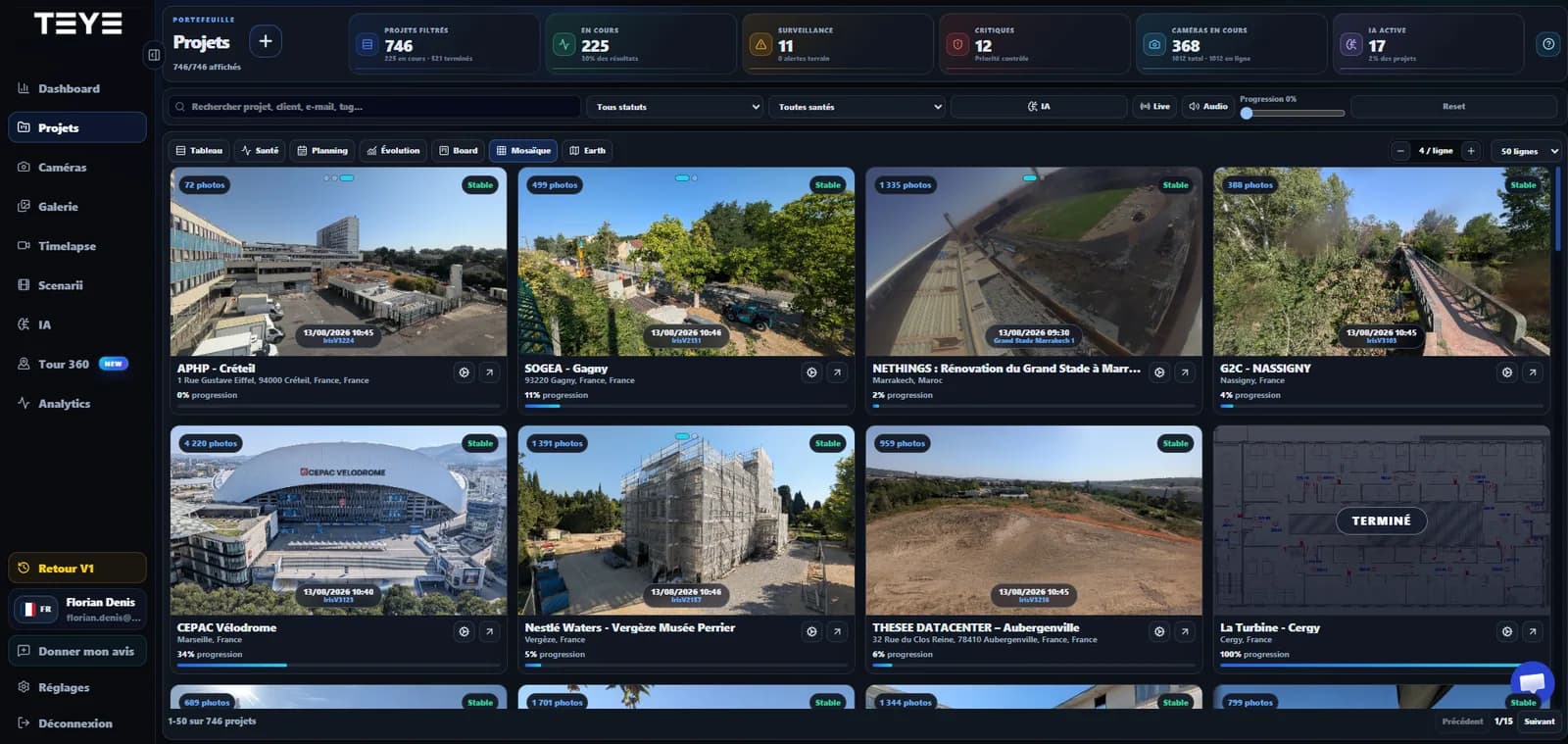
TEYE lets you move from portfolio view to a specific project in seconds. Views and filters help identify projects to watch, check progress and open the right media.
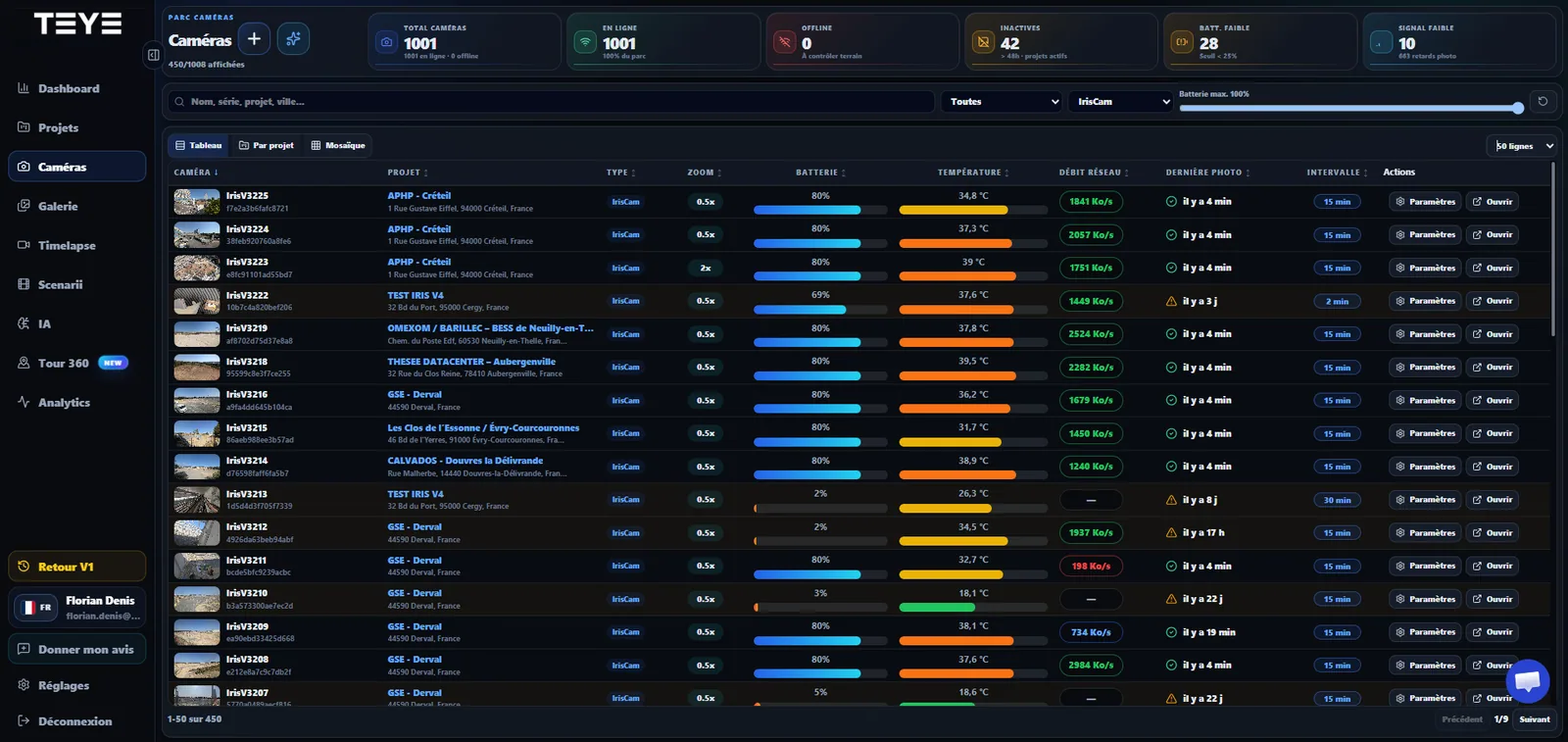
The Cameras page turns technical data into actionable information: battery/autonomy, temperature, network, image delay, capture frequency and connection status.
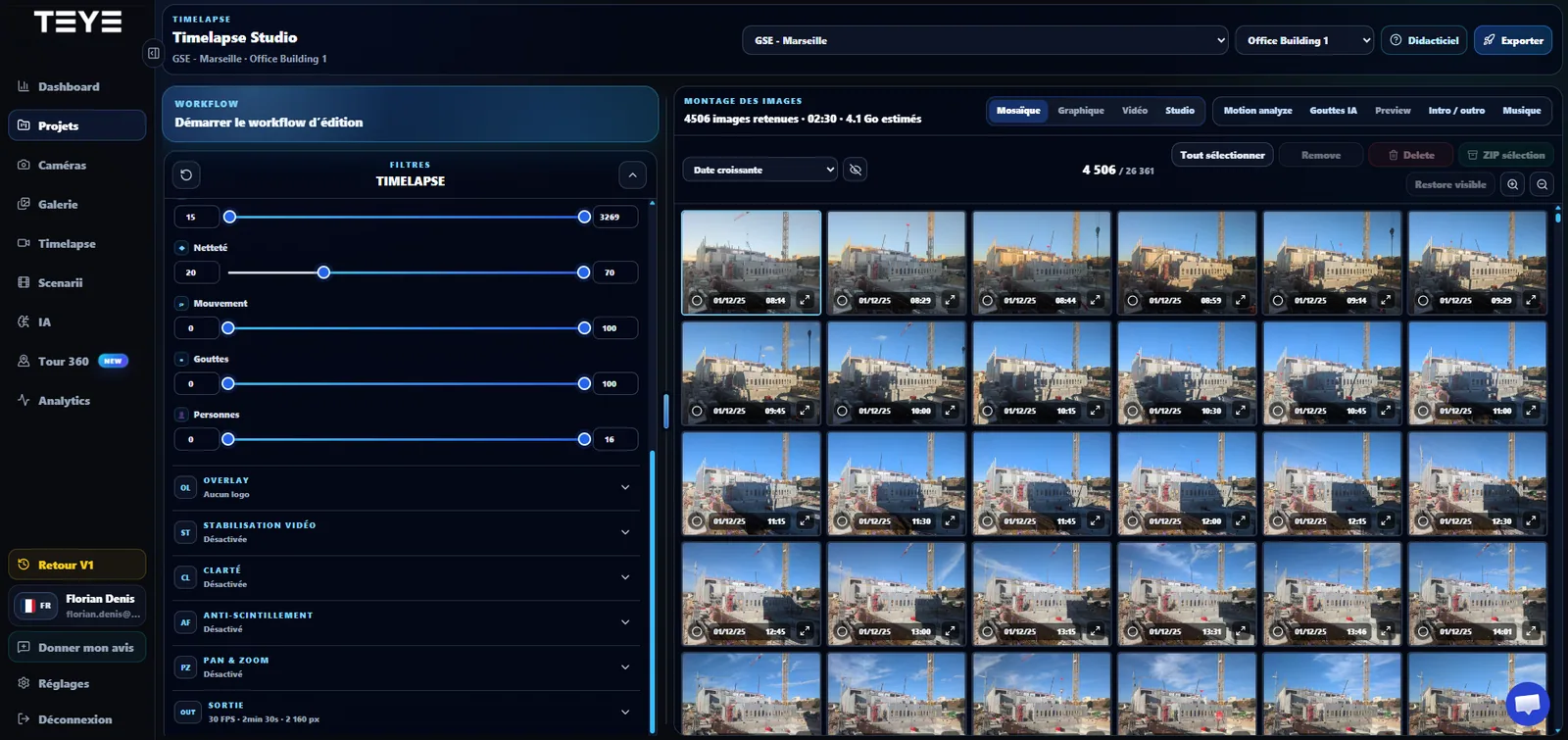
Timelapse Studio is a purpose-built editing workspace. Teams select useful images, remove unwanted sequences, adjust the result and prepare the final export from the same tool.
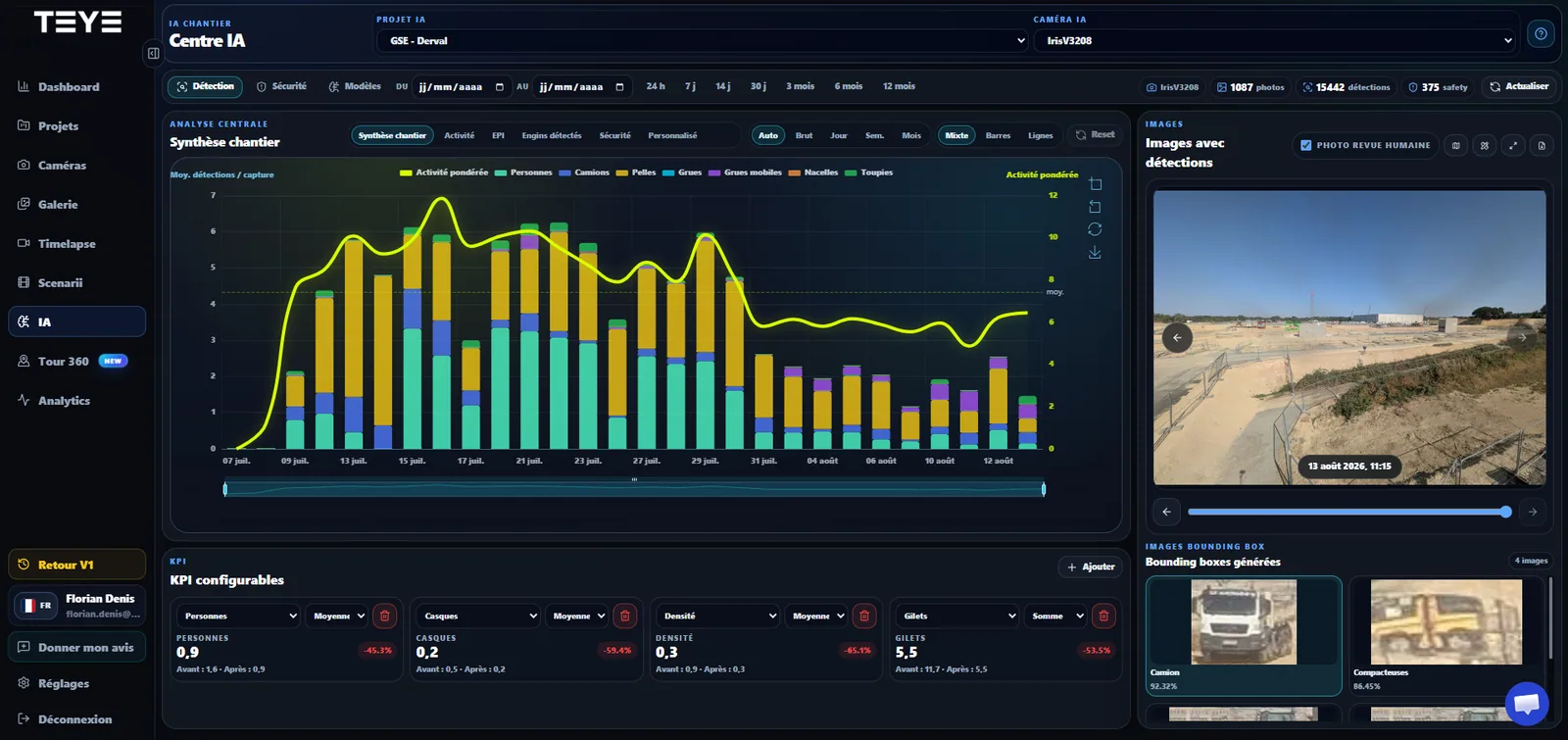
The AI Center consolidates detections, trends and indicators in the context of the project. The goal is to turn a massive volume of captures into signals that are easier to interpret and verify by people.
One ecosystem, not a collection of disconnected tools
This makes it possible to move from camera status to an image, from an image to an analysis or from a period to a film without multiplying platforms and intermediate exports.
Find images by project, camera and period, navigate the timeline, zoom, compare and select the views you need.
Turn the photo history into a film directly in TEYE with editing tools designed for construction projects.
View timelapse filmAnalyze captures to monitor activity, people, equipment, PPE and selected safety events.
Discover ERIGE AIComplement the photo history with live viewing when the project and connectivity allow it.
View live construction feedCreate thematic archives for key phases, meetings, visual evidence or project communications.
Schedule periods or events to monitor and prepare targeted video sequences without starting from scratch each time.
Structure visit points, attach media and provide an immersive complementary view of the construction project.
Discover 360 TourGive stakeholders the right permissions, share useful content and maintain one common space for project teams.
Available wherever your teams work
The same environment adapts to large supervision screens, meeting tablets and smartphones used on the move. Essential information stays accessible without requiring a specific workstation.
Controlled construction data
TEYE is part of the ERIGE security architecture: cloud hosting, controlled access, managed sharing, content traceability and privacy features adapted to visual construction monitoring.
The TEYE principle
Cameras automatically send construction images to the platform.
TEYE organizes content by project, camera, date and use in one place.
Search, comparison, timelapse, live viewing and AI turn images into useful information.
Teams share, document, export or prioritize actions from the same visual source of truth.
Frequently asked questions
The exact configuration depends on the project, number of cameras and enabled modules. A demo lets us show the workflow that matches your use cases.
TEYE is the ERIGE web platform for visual construction monitoring. It brings together project and camera management, photo galleries, timelapse, scenarios, live viewing, 360 Tour and AI modules depending on the project configuration.
Yes. The responsive interface lets users access projects, cameras and content from a desktop, tablet or connected smartphone.
Yes. Timelapse Studio lets teams filter images, prepare the edit, apply treatments, configure the output and launch the export without leaving the platform.
Depending on the enabled modules, TEYE can consolidate detections of people, equipment and PPE, produce activity indicators, display trends and support safety-event review. Models and KPIs can be adapted to project needs.
TEYE uses controlled user access, secure cloud hosting and managed sharing. ERIGE also integrates privacy and cybersecurity requirements into its construction monitoring system.
Tell us about your organization, number of projects to monitor and required features. We will show you the most relevant TEYE workflow, from the camera through to the final deliverable.